Setting up Amazon Selling Partner Integration
Step 1: Find your Amazon Region
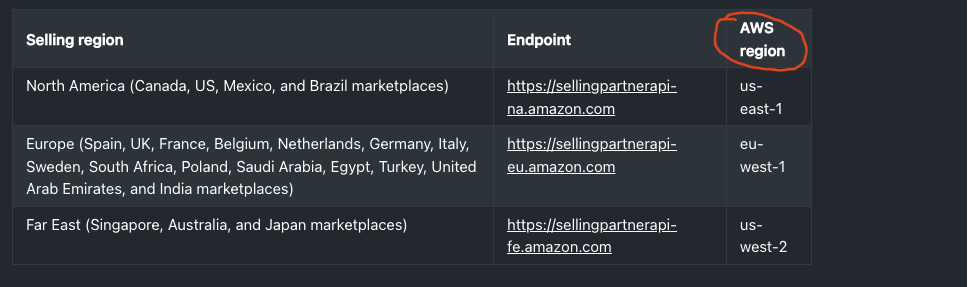
- Go to https://developer-docs.amazon.com/sp-api/docs/sp-api-endpoints
- Find the Amazon Selling Region that you are in and provide the AWS region found in the last column.
Example regions: us-east-1, eu-west-1, us-west-2
Step 2: Get your Amazon Marketplace ID
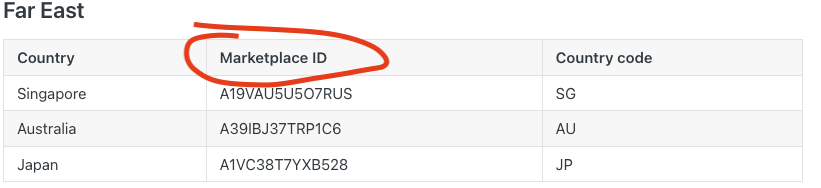
- Go to https://developer-docs.amazon.com/sp-api/docs/marketplace-ids
- Find your marketplace and copy the Marketplace ID.
Example: Australia Marketplace ID is A39IBJ37TRP1C6